)
)
Employee time tracking software: summary & key takeaways
What it does: Employee time tracking software records how long teams spend on tasks, projects, and clients through timers, timesheets, or automatic capture.
Why it matters for client work: For agencies, the best tracking is built into project management, so hours flow straight into budgets, utilization, and invoices.
The article's angle: I ranked nine tools by how well they turn tracked time into profitable client work, not just tidy timesheets.
Top pick: Teamwork.com leads because it connects time to project budgets, billable utilization, and profitability in one platform, with AI on top.
What you get: A quick-glance comparison table, honest pros and cons per tool, live pricing, and answers to the questions buyers actually ask.
Timesheets were the part of client work I dreaded most in my prior career directing agency teams. Chasing colleagues for hours felt like a second job, and the numbers came back half guessed. Teamwork.com's Six Strategic Shifts report found teams often need three to five reminders to finish a timesheet. Even then, the data is shaky.
That gap is expensive. Wrong hours mean budgets drift, utilization blurs, and invoices go out light. One reason we built time tracking into Teamwork.com is simple: a standalone timer never answers the question owners care about. Are we actually making money on this client?
The stakes are higher now because margins are tight and every untracked hour is money you can't bill. Low engagement drags on output too. Gallup's State of the Global Workplace report estimates it costs the world economy around $10 trillion in lost productivity, so visibility into time matters more. Full-time workers average 8.1 hours on days they work, per the U.S. Bureau of Labor Statistics. A few lost hours a week per person adds up fast.
If you want the fix without the pain, our client work time tracking template and this list are a good place to start. Below, I break down nine tools, starting with the one built for agency client work.
What is employee time tracking software?
Employee time tracking software is a tool that records how long employees spend on tasks, projects, and clients, using start-stop timers, timesheets, or automatic capture. For client-services teams, the most useful versions live inside your project management platform, so hours map directly to budgets and invoices.
Good tracking software answers questions you can act on:
Where did the week actually go? See time by task, project, and client instead of guessing.
Which work is billable? Separate billable from non-billable hours so nothing chargeable slips through.
Are we hitting utilization? Billable utilization is the share of a person's available hours spent on billable client work.
Will this project stay profitable? Compare tracked time against budget before the margin disappears.
Billable hours aren't a nice-to-have; they're how services firms get paid and measured. PwC's 2024 Law Firms' Survey found 95% of the Top 100 UK firms tie bonuses to chargeable-hours performance. Yet average billable utilization slipped to about 68.9% in 2024, per SPI Research's 2025 Professional Services Maturity Benchmark, below the roughly 75% mark most healthy firms aim for.
Data point
Average billable utilization fell to about 68.9% in 2024 (SPI Research, 2025 Professional Services Maturity Benchmark), which means accurate time tracking is the first lever to pull before hiring or repricing.
How I reviewed and selected these tools
I weighed each tool the way I'd weigh it for an agency I was running: does it help me protect billable hours and profit, or just log minutes?
Client-work fit: Does tracked time connect to projects, budgets, and clients, or sit in a silo?
Ease of capture: Is the timer low-friction, with quick after-the-fact edits and bulk entry?
Billable vs. non-billable: Can you mark, filter, and report chargeable time cleanly?
Utilization and profitability: Does it show who's at capacity and whether projects make money?
Invoicing path: Do logged hours turn into accurate client invoices without manual export?
Reminders and adoption: Does it nudge people so managers stop chasing timesheets?
AI support: Does it use AI where it counts, like utilization and forecasting?
Pricing and free trial: Is there a fair entry price and a way to try before you buy?
)
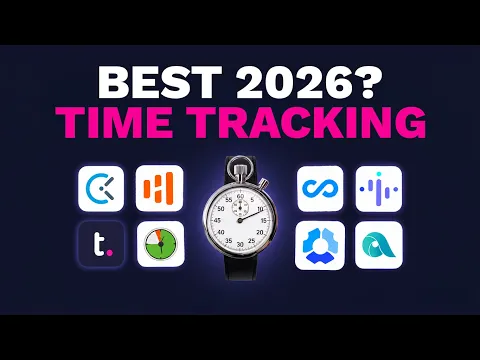
Watch: the best employee time tracking software for 2026
Prefer a quick rundown before the details? This short video walks through the top employee time tracking tools for 2026 and what to weigh when picking one, a useful primer before you dig into the comparisons below.
Quick glance: the 9 best employee time tracking tools
Tool
Teamwork.com
)
Teamwork.com is project and resource management software built for client work, with time tracking baked into the core rather than bolted on. It's for agencies, consultancies, and IT services teams who need hours to connect to budgets, utilization, and profit.
Here's why we lead this list on the client-work angle: a timer is only useful if it answers "are we still making money?" A built-in stop-start timer runs in the background while you work, and you can mark time billable and add a quick note as you go. If someone forgets, they add time later or in bulk from the timesheet, and automated reminders mean managers stop chasing.
That connected data is where the payoff shows up. Track hours against a budget and get an alert before you overspend, then watch billable utilization by person, project, or client in real time. Teamwork.com customers improve billable utilization by 21.8% on average after 12 months of using project and resource management features. When Pravda Media Group moved to Teamwork.com for better visibility, they increased productivity by 40%.
Best features:
)
See who's over or under capacity in seconds: the AI utilization summary reads real-time workloads so you rebalance before someone burns out. TeamworkAI also includes the AI Forecaster for profitability predictions and the AI Project Wizard to turn messy briefs into structured projects.
Turn tracked hours into accurate invoices: time tracking built into project management means billable hours flow straight to the invoice, no export gymnastics.
Protect margins as work happens: set billable and cost rates, add a budget, and let project profitability reporting flag overservicing early.
Plan your day around real work: log time against time blocks with My Calendar so tracking fits the way you already work.
For example, say a designer bills at $120 an hour on a 40-hour budget. Left unwatched, three untracked "quick favors" a week can quietly erase a third of the margin by month-end. Tracked against budget, you catch it in week one.
"Teamwork feels like it was built for teams that work with clients, not just for moving tasks from one column to another. Time tracking, budgets, workload planning, and profitability are all part of the daily workflow instead of feeling like features that were bolted on later." — Omar S., Project Manager, G2
Pricing:
Free: $0, up to 5 users and 5 projects, with time logging.
Basics: $9.99 per user/month billed yearly, with billable time tracking and templates.
Accelerate: $24.99 per user/month billed yearly, adding workload planning, invoicing from logged time, and AI utilization insights.
Optimize: Custom pricing, adding resource scheduling and AI profitability forecasting.
Enterprise: Custom pricing, adding SSO and advanced security.
Pros:
Time, budgets, utilization, and invoicing live in one place, purpose-built for agency time tracking.
AI where it counts: forecasting, utilization, and project setup.
Free plan and a 14-day trial, no credit card required.
Cons:
More capability than a solo freelancer needs for basic logging.
AI profitability forecasting sits on higher tiers.
Clockify
)
Clockify is a time tracker best known for a free plan that doesn't quit on you. It's a strong fit for teams that want simple, unlimited logging without a bill attached.
The genuinely useful part is the free tier: unlimited users, timesheets, and kiosk clock-in cost nothing, which is rare. In my experience, teams testing time tracking for the first time like starting here because there's no budget conversation to win first. The timer is clean, the reports cover the basics, and the browser extension captures time across other apps.
Where it gets thin for agencies is the connection to money. Clockify tracks hours well, but linking those hours to project budgets, utilization targets, and client invoices takes add-ons or manual work. For client-services teams that live and die by margin, that's a real gap.
Pricing:
Free: $0, unlimited users and basic tracking.
Paid plans: from $3.99 per user/month billed annually, adding reporting, approvals, and admin controls.
Pros:
Genuinely free for unlimited users.
Fast to set up and easy for anyone to use.
Cons:
Weak link between tracked hours and project profitability.
Advanced reporting and controls sit behind paid tiers.
TimeCamp
)
TimeCamp leans into automatic time capture, so people log less by hand. It suits teams that forget to hit start and want the tool to fill the gaps.
The standout strength is background tracking that watches which apps and sites you use, then suggests time entries against projects. From a delivery perspective, that tends to work well for teams whose members juggle many small tasks and never remember to run a timer. One detail I appreciate is the keyword rules. You map an app, document title, or URL to a project once, and matching activity then routes to the right client automatically. It also does billable rates and basic invoicing, which nudges it closer to client work than a pure logger.
The trade-off is trust and tidy data. Automatic capture needs review, or your reports fill with noise, and the categorization rules take time to tune. It's capable, but it isn't a full project and profitability system.
Pricing:
Free: $0 for basic tracking.
Paid plans: from $3.99 per user/month billed annually, adding automatic tracking depth and reporting.
Pros:
Automatic capture reduces manual logging.
Billable rates and basic invoicing included.
Cons:
Auto-tracked data needs cleanup to stay accurate.
Not built for utilization or margin tracking across a portfolio.
Insightful
)
Insightful is a productivity and monitoring tool that tracks activity as much as time. It's aimed at teams that want visibility into how work happens, not just how long it takes.
Its real strength is depth of activity data: app and website usage, productivity labels, and screenshots give managers a detailed picture. For operations leads investigating where time genuinely goes, that granularity can surface patterns a simple timer misses. It's a monitoring tool first, and it's honest about that.
For agency client work, though, monitoring is a different job than billing. Screenshots and activity scores don't map cleanly to billable hours, project budgets, or client invoices. It also raises adoption friction, because surveillance features can dent team trust if introduced badly.
Pricing:
Paid plans: from $8 per user/month billed annually, with monitoring and productivity analytics.
Pros:
Deep activity and productivity insight.
Useful for spotting where hidden time goes.
Cons:
Monitoring focus doesn't connect to billing or profitability.
Surveillance features can hurt adoption without careful rollout.
DeskTime
)
DeskTime tracks activity automatically and scores productive versus unproductive time. It's built for teams that want hands-off tracking with a light monitoring layer.
The useful bit is automatic start-stop plus productivity categorization that runs without anyone touching a timer. It also offers effective-versus-idle breakdowns and simple absence tracking, which helps managers see rough capacity at a glance. For teams new to tracking, the automation lowers the adoption hurdle.
The limitation is the same pattern as other monitoring-first tools: activity scores aren't billable hours. You get a view of busyness, not a clean line from time to client budget to invoice, so agencies still need something to close that loop.
Pricing:
Paid plans: from $6.42 per user/month billed annually, with automatic tracking and productivity analysis.
Pros:
Automatic tracking with productivity scoring.
Quick read on who's active and idle.
Cons:
Productivity scores don't equal billable value.
Limited project budgeting and invoicing depth.
Hubstaff
)
Hubstaff tracks time for remote and field teams, with GPS and activity monitoring built in. It's a fit for distributed or on-site crews where location and presence matter.
Its clear strength is field coverage: GPS location, geofenced clock-in, and mobile tracking handle workforces that aren't at a desk. For teams managing on-site or traveling staff, that combination is genuinely hard to match with a browser timer. It also connects to payroll, which helps for hourly pay runs.
For an agency measuring billable utilization and margin, the monitoring emphasis is more than you need. The location and activity features solve a problem client-services teams mostly don't have, while the budget-to-invoice connection stays lighter than a project-native tool.
Pricing:
Paid plans: from $4.99 per user/month billed annually, with GPS, activity tracking, and payroll features.
Pros:
Strong GPS and mobile tracking for field teams.
Payroll integrations for hourly workforces.
Cons:
Monitoring features exceed most agency needs.
Lighter project profitability and utilization reporting.
Harvest
)
Harvest pairs clean time tracking with straightforward invoicing. It's a good fit for smaller teams that want tracked hours to become client bills quickly.
The standout is the tracking-to-invoice flow: log time against a project, then generate an invoice from those hours in a few clicks. In my experience, small agencies like how little friction sits between "we did the work" and "we billed for it." Budget alerts and simple reports round it out nicely for lean teams.
Where it stops short is portfolio-level depth. Harvest handles project time and billing well, but resource scheduling, utilization targets across the team, and profitability forecasting aren't its focus. Growing teams often outgrow it once client and staff counts climb.
Pricing:
Free: $0 for a single seat with core tracking.
Paid plans: from $9 per user/month billed annually, adding more seats, invoicing, and reporting.
Pros:
Smooth path from tracked time to client invoice.
Simple enough for fast team adoption.
Cons:
Limited resource planning and utilization depth.
Scales less gracefully for larger portfolios.
Some long-term customers have reported unpredictable fee increases as a result of Harvest's "Flex" pricing structure.
Apploye
)
Apploye is a budget-friendly tracker with light monitoring features. It suits cost-conscious teams that want tracking plus basic oversight at a low price.
Its real appeal is value: timers, timesheets, screenshots, and simple project budgeting arrive at a low per-seat cost. For a small team watching spend, getting monitoring and tracking together for a few dollars a seat is a fair deal. The live dashboard surprised me too. You see who's clocked in, what they're working on, and recent screenshots in one view, which suits a small remote crew. It also handles basic payroll and remote-team features without much setup.
The catch is that low cost comes with shallower depth. Reporting, integrations, and profitability features don't reach what a client-services team needs to manage utilization and margin across many accounts. It's a starter tool more than a system of record.
Pricing:
Paid plans: from $4.50 per user/month billed annually, with tracking, screenshots, and basic budgeting.
Pros:
Low price for tracking plus light monitoring.
Covers small-team basics without complexity.
Cons:
Shallow reporting and integrations.
Not suited to portfolio-level utilization or profitability.
Connecteam
)
Connecteam manages deskless and mobile workforces, with time tracking as one piece of a wider operations app. It's built for shift-based, frontline teams more than project-based agencies.
The strength is breadth for frontline work: mobile clock-in, scheduling, checklists, and team chat sit alongside a time clock, so a deskless crew runs from one app. For businesses coordinating shift workers, that all-in-one operations angle is genuinely handy and reduces app sprawl.
For client-services time tracking, it's aimed at a different job. The features orbit shift management and communication, not billable hours, project budgets, or utilization. Agencies tracking chargeable work will find the fit loose compared with a project-native tool.
Pricing:
Free: for small teams.
Paid plans: custom pricing, from around $29/month for up to 30 users per hub, covering scheduling, communication, and time tracking.
Pros:
Strong all-in-one app for deskless teams.
Scheduling and communication built in.
Cons:
Time tracking isn't tied to billing or margin.
Aimed at shift work, not client project delivery.
AI time tracking vs. traditional time tracking
Traditional time tracking waits on people. Someone remembers to start a timer, fills a timesheet on Friday, and a manager stitches the numbers together later. It works, but it leans on memory and manual review, and that's where hours and accuracy leak.
AI time tracking shifts the effort onto the software. Instead of you calculating who's overloaded, the AI utilization summary reads live workloads and tells you who's over or under capacity in seconds. That's the difference between reacting at month-end and adjusting mid-week.
Take profitability. Traditionally, you'd export time and costs into a spreadsheet and model margin by hand, often after the project already slipped. Forecast profitability before it slips: the AI Forecaster uses historical revenue and cost data to predict where a project lands.
AI doesn't replace the timer; it removes the busywork around it. You still capture time, but the analysis, the alerts, and the "who's free next week" questions get answered for you, so decisions happen while they still matter.
Why Teamwork.com stands out for employee time tracking
Most tools on this list track time well. What sets Teamwork.com apart is that tracked time never sits alone. It connects to budgets, utilization, and profit in the same platform where the work happens.
That connection is the whole point of employee time tracking software for client work. When hours map to a project budget, a billable rate, and a client invoice automatically, you stop reconciling spreadsheets and start protecting margin. Billable utilization stops being a month-end mystery.
Then there's AI built for the messy reality of client work, not for a demo. Spot capacity problems early with the AI utilization summary, and forecast margin with the AI Forecaster, both grounded in real project data. That's the project management platform advantage competitors here can't match, because their time data doesn't know what a client budget is.
For agencies, consultancies, and IT services teams, that's the difference between logging time and running a profitable business on it.
)
)
)
)
)
)
)
)